


v1.26.1 — Polished Capture & Editing
Screenshots that make you go... Oh My!
Capture, beautify, translate, and share. From long pages to quick text selections, everything stays fast and polished.
Capture, beautify, translate, and share. From long pages to quick text selections, everything stays fast and polished.
Watch how easy it is to capture, beautify, and share screenshots and GIF recordings.
Powerful capture, recording, beautifying, and sharing tools in one polished app.
Capture full screen, region, or window with reliable repeated shortcuts and the intended clipboard result.
v1.26.1 HighlightRecord any screen region as an animated GIF, with responsive finishing and cancellation plus floating toolbar controls and configurable settings.
Select text anywhere on screen and see the translation right where you need it, without breaking your flow.
Use gradients, solid colors, or transparent backgrounds with custom colors, padding, border radius, and shadows.
10+ tools including arrow, text, rectangle, circle, line, freehand, blur, highlighter, numbering, and callout, plus a layers panel for visibility and reordering.
Keep screenshots floating above other windows while you work, ideal for reference images and side-by-side workflows.
Capture long pages automatically so chats, articles, and docs stay together in one clean image.
Export to PNG, JPEG, WebP, or GIF, with custom filename templates using date, time, and counter variables.
Add text or logo watermarks with tiling, rotation, position, and opacity control.
Switch between 19 languages in a click and keep translations moving at the pace of your work.
Built-in updater keeps OhMyShot current automatically so you always get the newest improvements.
Everything runs locally on your machine with no cloud processing, no tracking, and no account required.
See what you can create with OhMyShot's powerful features.
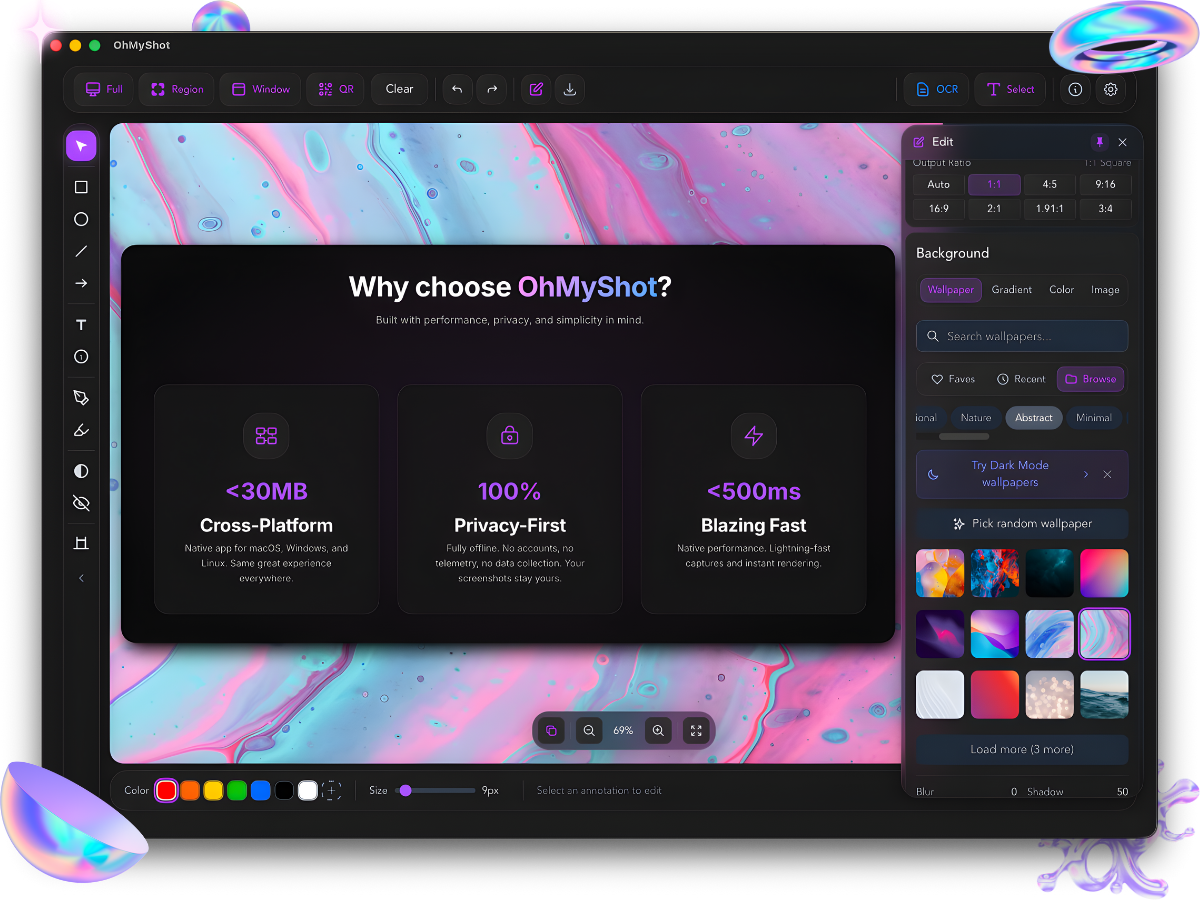
Built with performance, privacy, and simplicity in mind.
Native app for macOS, Windows, and Linux. Same great experience everywhere.
Fully offline. No accounts, no telemetry, no data collection. Your screenshots stay yours.
Native performance. Lightning-fast captures and instant rendering.
Beautiful screenshots in three simple steps.
Take a screenshot of your entire screen, a region, or a specific window.
Add stunning backgrounds, adjust padding, and annotate with shapes and text.
Export as PNG or JPEG, or copy directly to clipboard. Ready to share!
Download OhMyShot for free and start creating stunning visuals today.
Quick answers to common questions about OhMyShot.
This SmartScreen warning appears because OhMyShot isn't code-signed yet. Code signing certificates cost $400+/year, which isn't feasible for a free project at this stage.
To install safely:
OhMyShot is 100% free with premium features — download from GitHub and verify it runs completely offline.
Yes! OhMyShot is completely free with no hidden costs, subscriptions, or premium features locked behind paywalls. All features are available to everyone.
No. OhMyShot runs entirely on your device. Your screenshots never leave your computer unless you explicitly share them. We don't collect analytics, telemetry, or any personal data.
OhMyShot currently supports:
macOS Gatekeeper may block apps downloaded from the internet. Try these fixes:
Method 1 (Recommended): Open Terminal and run xattr -cr /Applications/OhMyShot.app
Method 2: Right-click the app -> select "Open" -> click "Open" in the dialog.
Method 3: Go to System Settings -> Privacy & Security -> scroll down and click "Open Anyway".